Track
The Next Dollar Dashboard
A spreadsheet system for tracking contributions, goals, and progress over time.
Once you know what you want your next dollars to do, the harder part is staying organized.
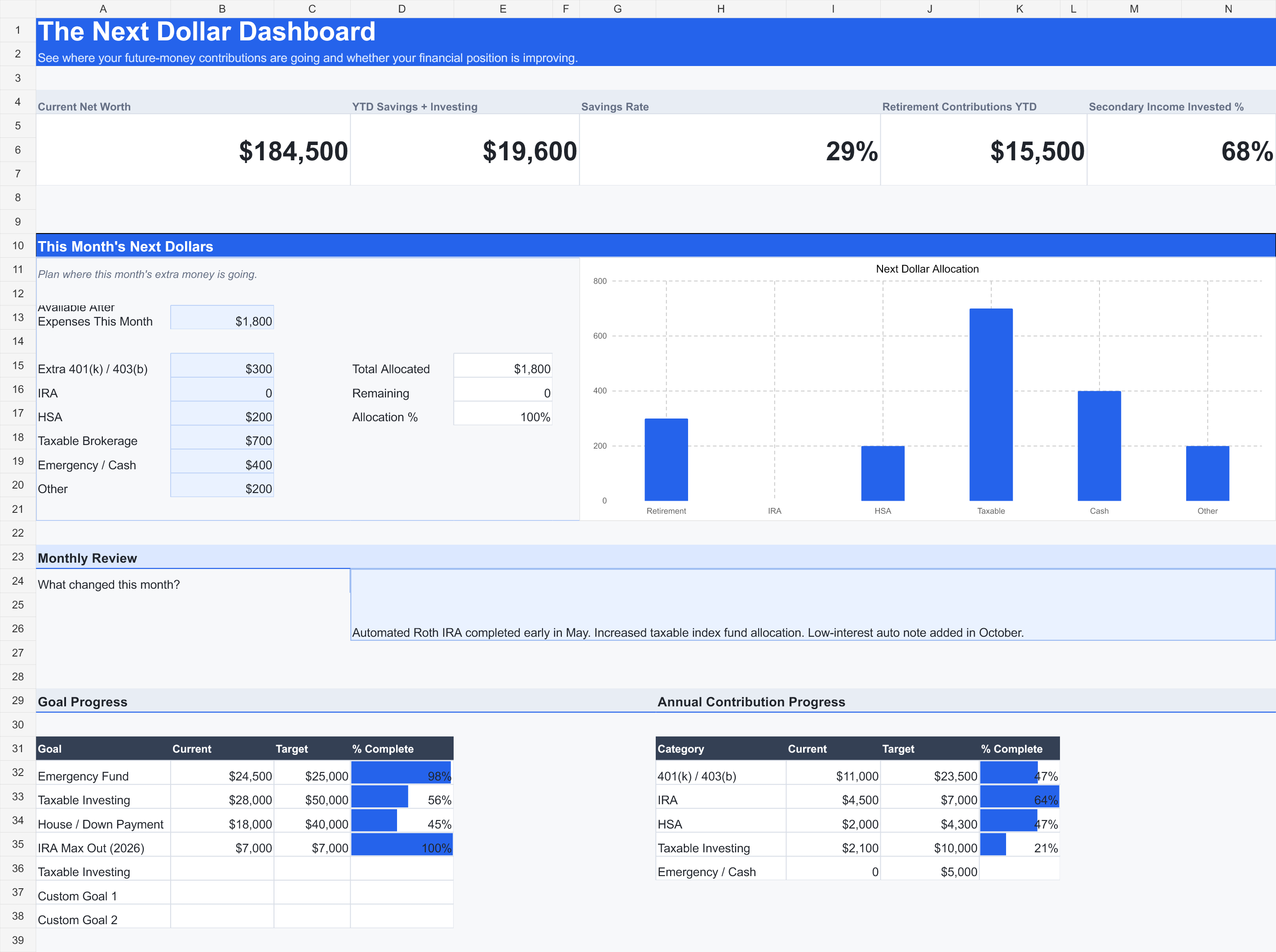
The Next Dollar Dashboard gives you one place to track contributions, goals, progress, and the decisions you are actually making over time.
What's Inside
- Retirement contributions — 401(k), 403(b), Traditional IRA, Roth IRA
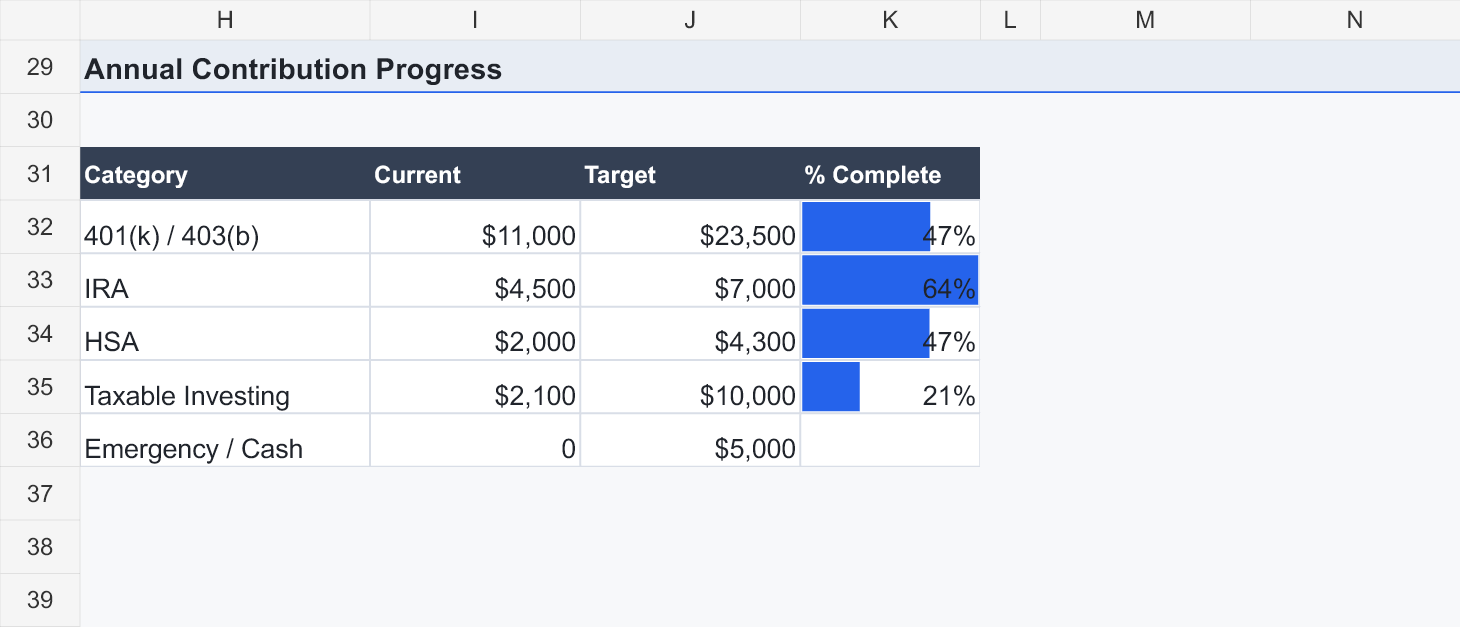
- HSA and employer-match progress against annual targets
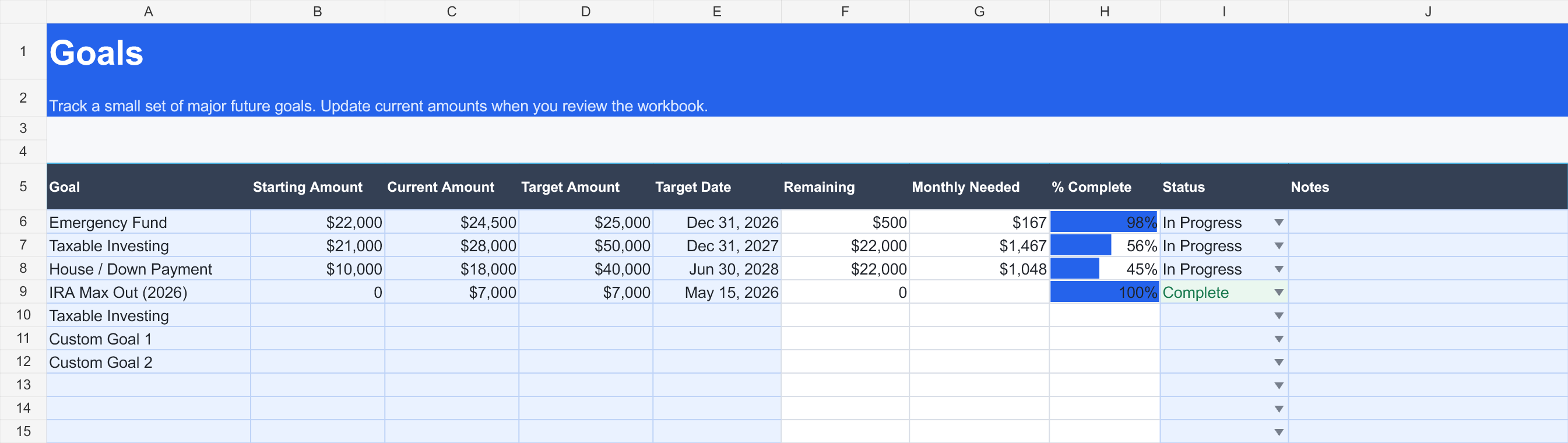
- Taxable investing and cash-reserve milestones
- Monthly net worth, plotted over time
- Secondary income — gross, expenses, net, and investment rate
- This month's Next Dollars: where new money is being allocated
Signature Feature
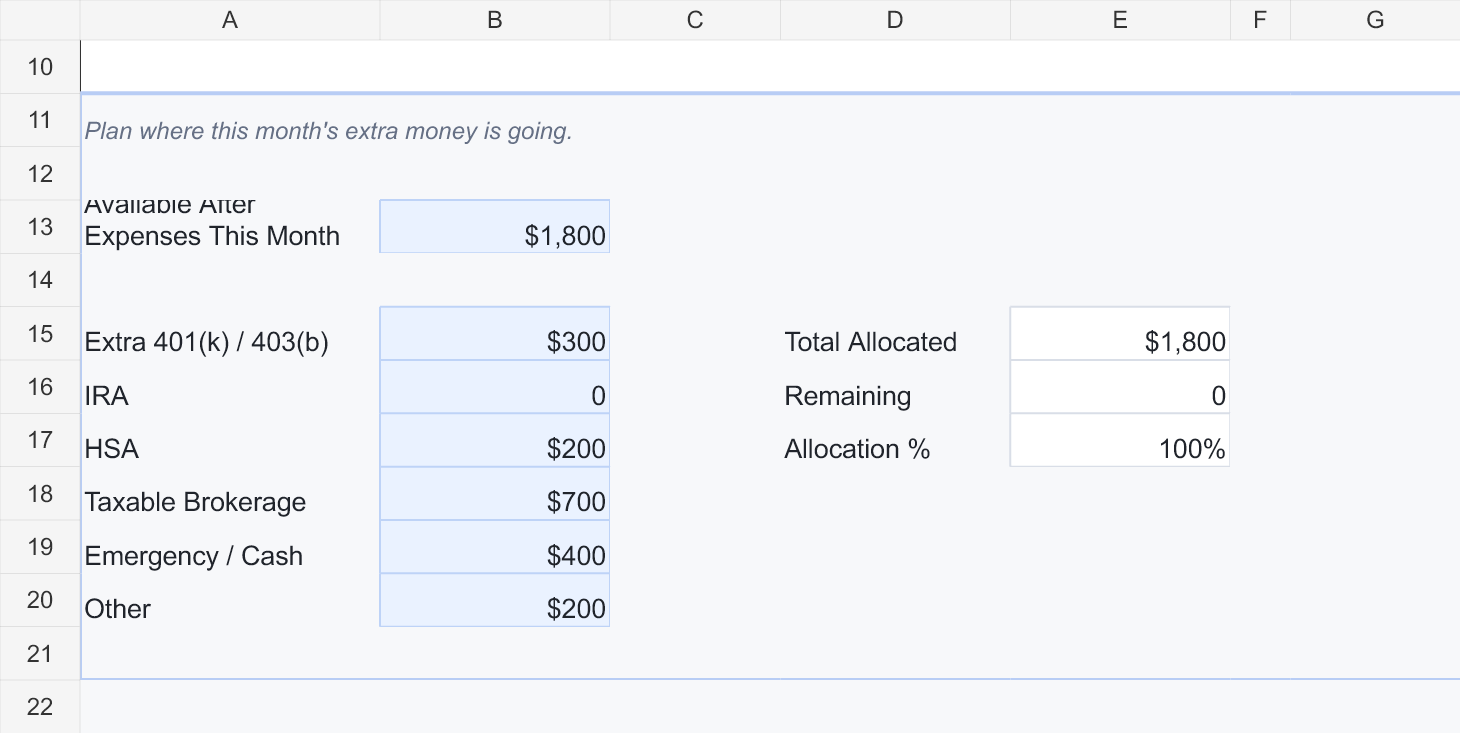
This Month’s Next Dollars
Most budgeting tools look backward at what you already spent. This looks forward: enter the money you have available after expenses this month, then direct it across extra 401(k)/403(b), IRA, HSA, taxable investing, emergency/cash, or other goals. The remaining balance calculates automatically as you allocate, until it hits zero.
Every extra dollar gets a clear assignment before the month slips away.
How It Works
1. Set your targets
Enter this year's contribution targets for the accounts you actually use — nothing you don't use.
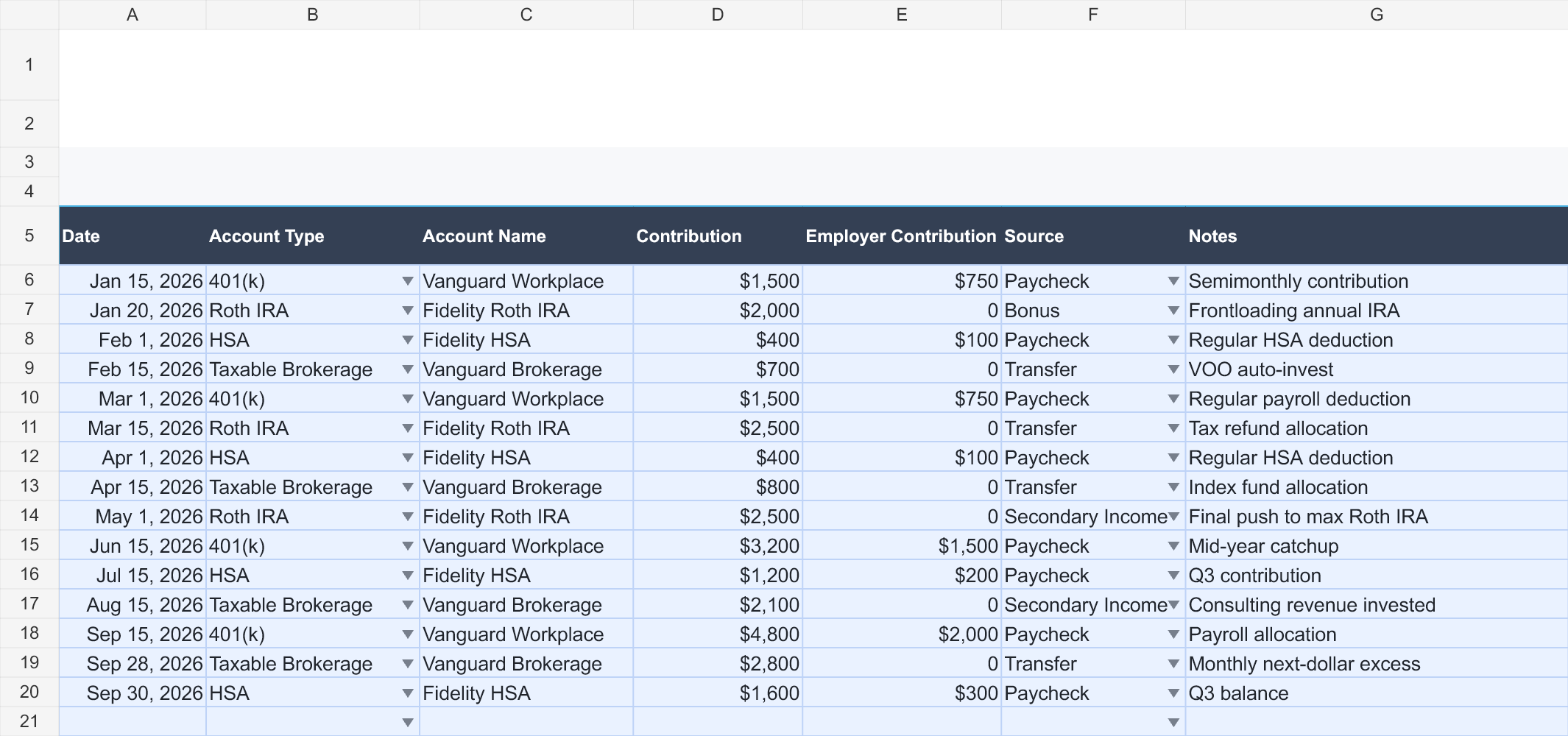
2. Log contributions
One row per contribution: date, account, amount. No categorizing, no receipts.
3. Update monthly balances
One balance snapshot a month covers net worth and secondary income both.
4. Review the dashboard
See progress toward every goal and decide where this month's extra money goes.
Inside The Dashboard
Who It's For
- People already saving or investing who want one consolidated view
- People tracking annual contribution goals across 401(k)/403(b), IRA, and HSA
- People with taxable investing or cash-goal targets alongside retirement accounts
- People with secondary income who want to see how much of it turns into savings
- People who want a private, manual system — not another linked bank account
What It Does NOT Do
- Not a full budget — no expense categorization or transaction logging
- No bank account linking or data syncing
- No transaction importing
- No stock picking, tickers, or portfolio rebalancing
- No tax planning or investment advice
In the Download
- The Next Dollar Dashboard — a Google Sheets workbook
- Start Here quick-start guide (PDF)
- A short walkthrough video covering setup, monthly logging, and reading the dashboard
Walkthrough
A short walkthrough of setup, monthly logging, and reading the dashboard.
FAQ
- Do I need Excel?
- No. It's a Google Sheets template — open it in Google Sheets and make your own copy. It also opens in Excel if you prefer working there.
- Does it connect to my bank?
- No. There's no bank linking or data syncing of any kind. You type in your own numbers, and your data stays in your own Google Drive.
- Is this a budgeting tool?
- No. It doesn't categorize expenses or track everyday transactions. It's focused on the money you're directing toward retirement, investing, and savings goals.
- Can I edit contribution targets?
- Yes. Annual targets are plain editable cells, not hardcoded to a tax year's limits — update them whenever your plan or the year changes.
- Does it provide investment advice?
- No. It's an organizational tool for money you've already decided to save or invest, not a source of financial, tax, legal, or investment advice.
- How long does it take to maintain?
- Roughly 10 minutes a month: one balance snapshot, your contribution rows, and an allocation decision for the month's extra cash.
Get The Dashboard
The Next Dollar Dashboard
A spreadsheet system for tracking contributions, goals, and progress over time.